
Takeoff and quoting
From the drawing set to a priced quote
Upload, set scale, measure, apply your rates. Invoice and Xero come after you win.
Takeoff
Still printing plans and counting with a highlighter?
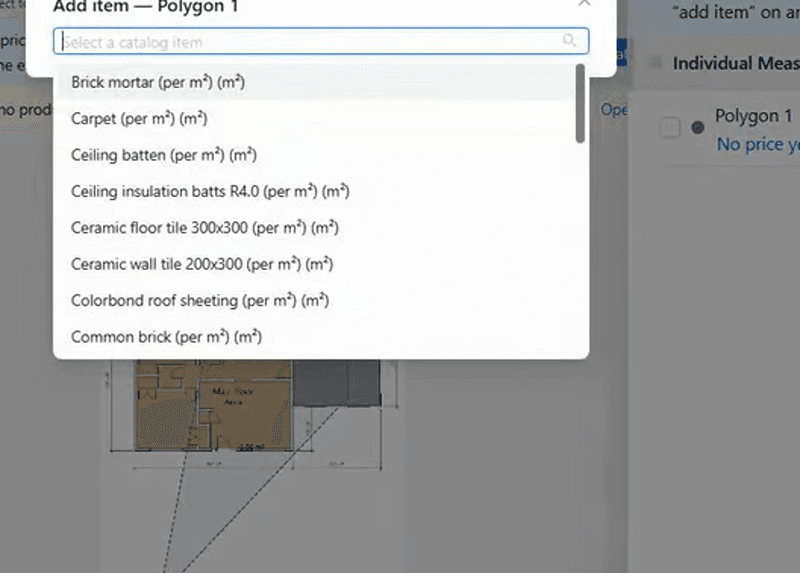
Upload the PDF. Set the scale. Measure.
Upload the drawing set, set the scale once from a known dimension, then measure length, area, and count on screen. AI Takeoff can suggest rooms and repeated symbols. No printout. No scale ruler.
Quote
Still typing every quantity into a spreadsheet?
Bind each quantity to your rates
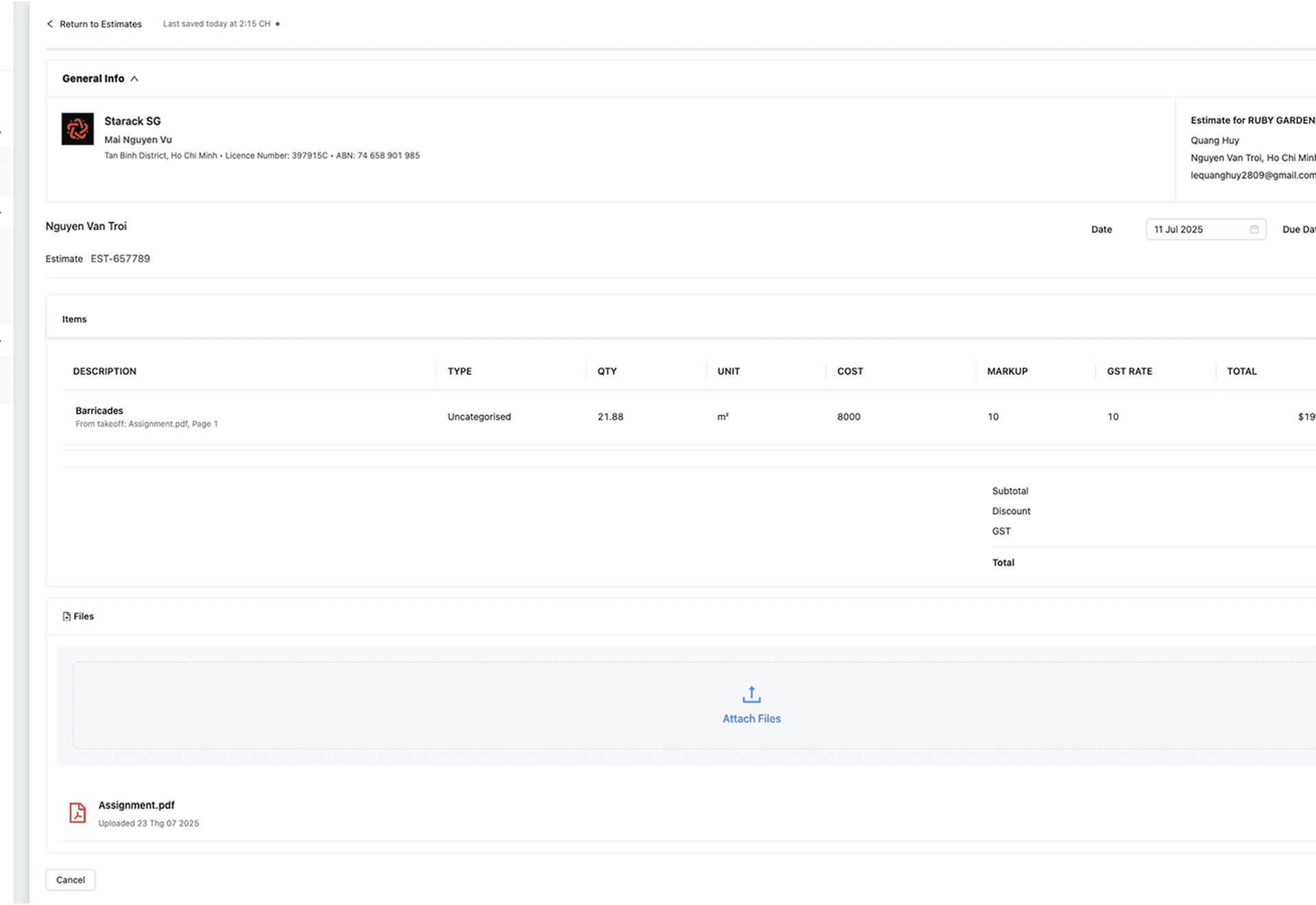
Each measurement becomes a quote line: quantity from the plan, price from your rate library (material, labour, or a room pack). Markup and GST are calculated the Australian way. When drawings change, update the measurement — the linked line recomputes.
Takeoff and quoting features
What you use from the PDF to the quote
Tick this against the tool you have today — plan, measure, price, send.
Plan setup
- Upload PDF plansDrop the drawing set in the browser. Nothing to install on Mac or Windows.
- Set the scaleCalibrate once from a known dimension. Every measure after that is real metres.
- Multi-page setsTake off across the whole PDF, not one sheet at a time.
Measure
- Length, area, and countWalls, floors, fixtures — drawn on the plan, in metres and counts.
- AI TakeoffSuggests rooms and repeated symbols so counting is a review, not a hunt.
- Edit when drawings changeChange the measurement. Linked quote lines recompute. You do not start over.
Price
- Your rate libraryMaterial, labour, and your prices — not a generic book.
- Room packs (assemblies)Tile + glue + labour as one pack. Reuse it on the next job.
- Markup and GSTYour margin, then Australian GST on the quote you send.
Quote
- Takeoff becomes the quoteEach measurement is a line: quantity from the plan, price from your rates.
- Send the quoteClient-ready, with the number the maths actually produced.
- Invoice and Xero after you winThe accepted quote becomes the invoice. Xero sync is optional.
Australian partner
Named with a Sydney builder who prices from plans
BND Custom Homes builds custom residential in NSW. QRRise is how takeoff becomes the quote on those jobs.

From crews who price from plans
Takeoff in the morning. Quote out the same day.
Builders, contractors, and estimators — the people who measure the drawing and send the number.
“Upload the plans, set the scale, take it off, and the quote is ready to send the same day. We are not sitting on a spreadsheet after the drawings come in.”
“Each count on the plan is a line on the quote, priced from our own rates. Markup and GST are already on it. That is the bit that used to take all evening.”
“When rev B lands I change the measurement on the sheet. The quote line moves with it. I am not taking the whole job off again.”
After you win
The quote becomes the invoice
No second spreadsheet. Sync to Xero when you want the books clean.
 03Invoice
Win it, then get paid
Turn the won quote into an invoice — no retyping the job.
 04Xero
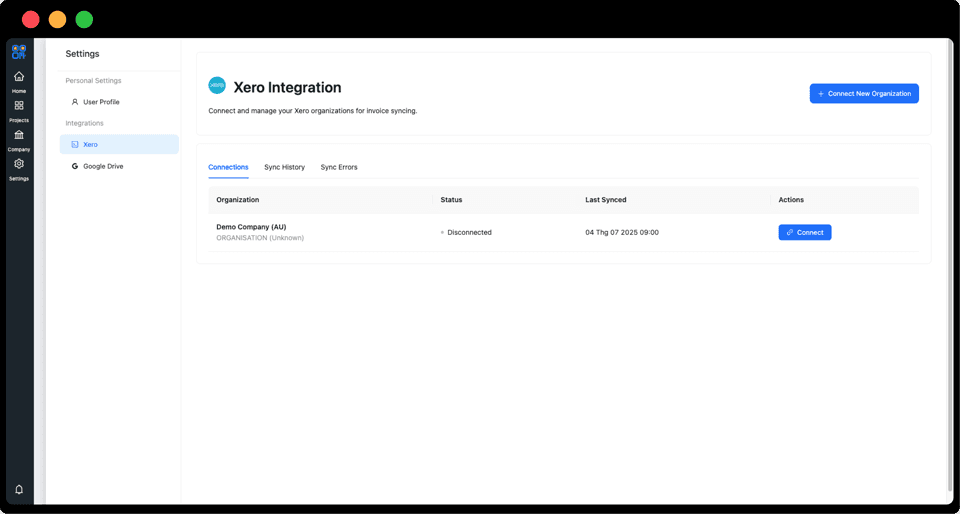
Invoices that land in Xero
Send once. It shows up in Xero — books stay clean.
Takeoff and quoting
How takeoff becomes a quote
How do I take off a plan?
Upload the PDF, set the scale once from a known dimension, then draw lengths, areas, and counts. Bind each measurement to a rate in your library. That line prices itself.
Can I use my own rates?
Yes. Your rate library is material, labour, and room packs (assemblies). Quantity comes from the plan; the price comes from you.
Does it work on Mac and Windows?
Yes. QRRise runs in the browser on a laptop or tablet. Nothing to install.
What if the drawings change?
Change the measurement on the plan. Linked quote lines recompute. You are not starting the takeoff again.
Does it handle GST on quotes?
Yes. GST on the quotes you send follows your job tax settings. That is separate from GST on the QRRise subscription.
Start today
Ready to quote the next job from the plan?
Takeoff, your rates, markup and GST — then invoice when you win.
No card needed · upgrade to Pro any time