QRRise
For builders, contractors, and the person who prices the job
Get a priced quote from the plan in minutes
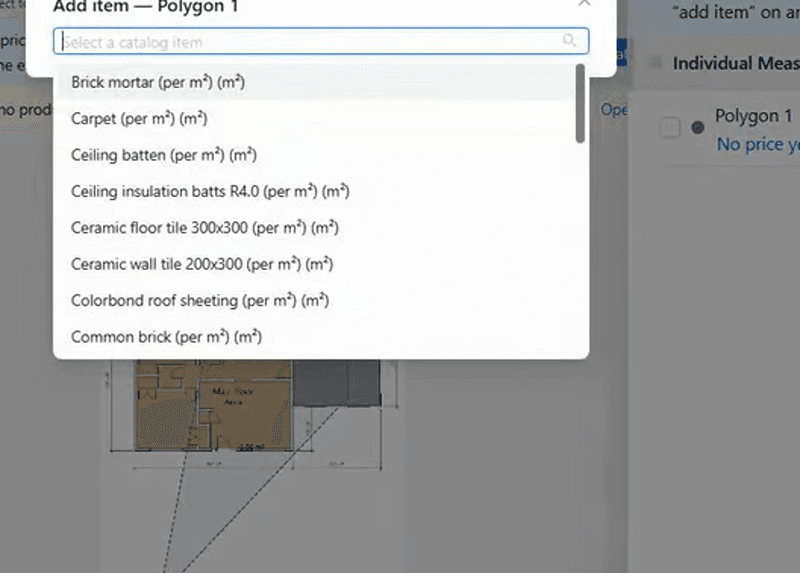
Upload the PDF, set the scale, and measure on screen. Bind each quantity to your rate library. Markup and GST are on the quote you send.
Upload · set scale · measure · apply your rates · send
Card required · $0 for 30 days · cancel before you are billed
Upload · set scale · measure · apply your rates
Sound familiar?
Slow takeoffs lose bids
Builders and contractors lose work when the quote is still sitting in a spreadsheet.
Plans sit in a PDF
You print, scale-rule, and type quantities into Excel. The drawing was already digital.
Rates live in someone's head
Last job's timber rate gets copied forward. Material prices have already moved.
The quote is a retype
Measurements do not become line items. You type the same numbers again to price the job.
One missed metre
Wrong quantity or markup and you underquote — or you lose the bid.
Takeoff to quote
Measure the plan. Price it from your rates. Send.
One tool from the PDF to a client-ready quote — then invoice when you win.
01TakeoffUpload the PDF. Set the scale. Measure.
Draw lengths, areas, and counts on the plan. Real metres — including multi-page sets.
02QuoteBind each quantity to your rates
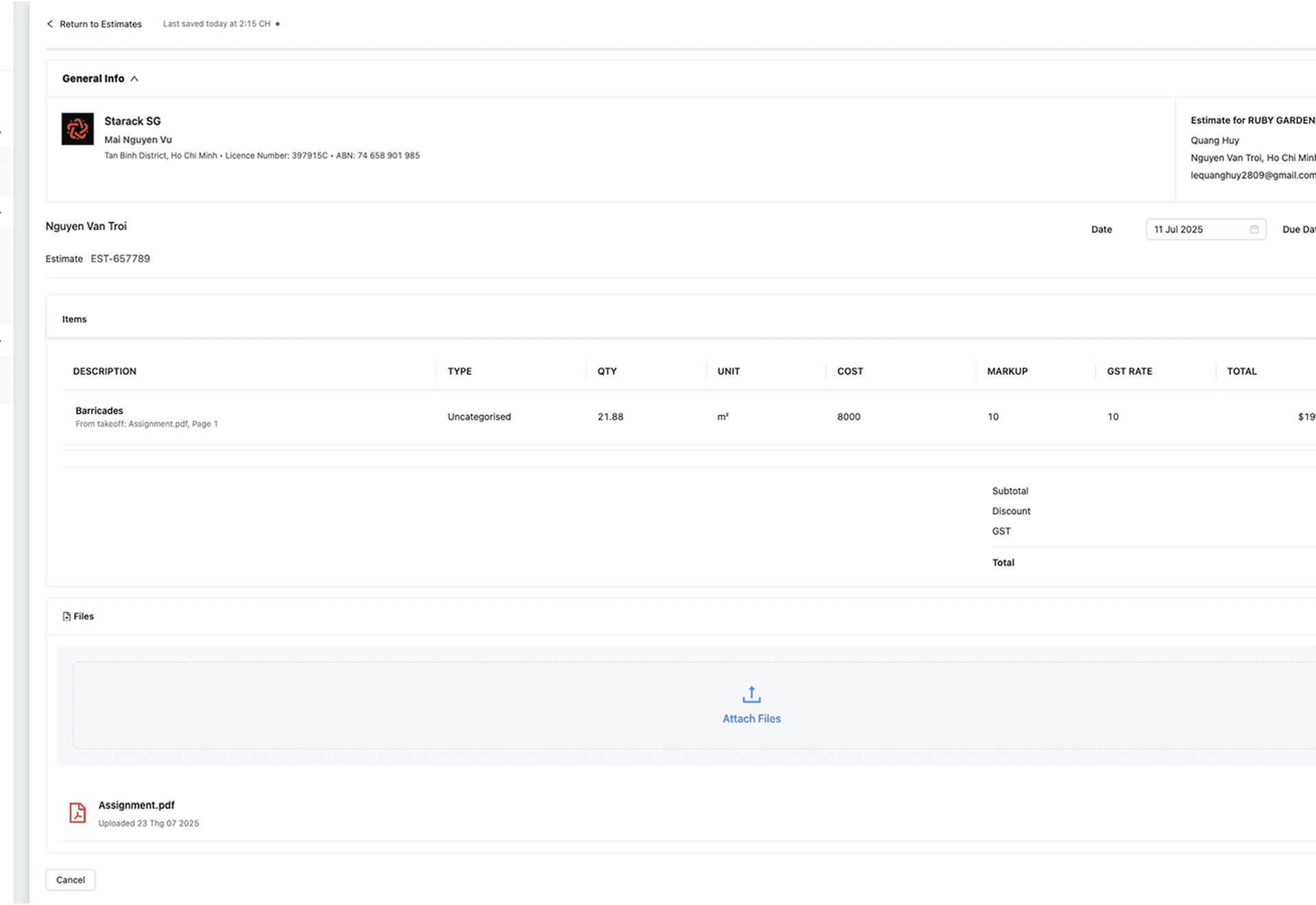
Quantity from the plan × your rate library. Markup and GST sit on the quote you send.
03InvoiceWin it, then get paid
Turn the won quote into an invoice — no retyping the job.
How a quote is built
Quantity × your rate × markup + GST
The number you send is measured, then priced — not typed in twice.
Quantity
Length, area, or count from the calibrated plan.
Your rate
Material, labour, or a room pack from your library.
Markup + GST
Your margin, then Australian GST on the quote you send.
What QRRise brings
Takeoff to a priced quote — rates, scale, GST.
- Your rate libraryQuantity from the plan. Price from your rates and room packs — not a generic price book.
- Scale once, then measureCalibrate from a known dimension. Take off across a multi-page PDF set.
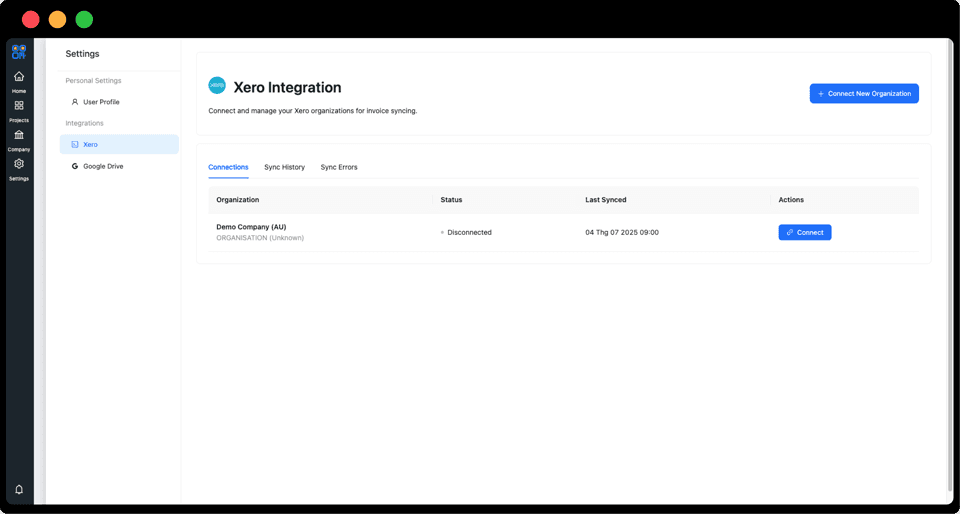
- AUD, GST, XeroMarkup and GST the Australian way. Invoice from the won quote. Sync to Xero when you want.

Australian partner
BND Custom Homes
BND Constructions Service Pty Ltd · Sydney, NSW
20 years in NSW custom residential
Single and double storey, duplex, and townhouse work across Sydney.
QRRise is the takeoff-to-quote tool on those jobs.
Visit BND Custom Homes →
From crews who price from plans
Takeoff in the morning. Quote out the same day.
Builders, contractors, and estimators — the people who measure the drawing and send the number.
“Upload the plans, set the scale, take it off, and the quote is ready to send the same day. We are not sitting on a spreadsheet after the drawings come in.”
“Each count on the plan is a line on the quote, priced from our own rates. Markup and GST are already on it. That is the bit that used to take all evening.”
“When rev B lands I change the measurement on the sheet. The quote line moves with it. I am not taking the whole job off again.”
Blog
Latest from the blog
Takeoff, quoting and getting paid — for the person who prices the job.

QRRise vs Buildxact for Australian Builders
QRRise vs Buildxact — when an Australian builder needs plan takeoff, GST quotes and invoices, and when a full construction-management suite is the better fit.

Progress Claim Template (Australia) for Builders
A progress claim template for Australian builders. Claim by stage against the accepted quote, show GST, and keep variations separate.

The Builders Estimating App for Australian Trades
A builders estimating app that turns plans into priced quotes on any device: on-screen takeoff, cost library and instant PDF quotes. Try QR-rise free.
Start today
Ready to quote the next job from the plan?
Takeoff, your rates, markup and GST — then invoice when you win.
Card required · $0 for 30 days · cancel before you are billed